
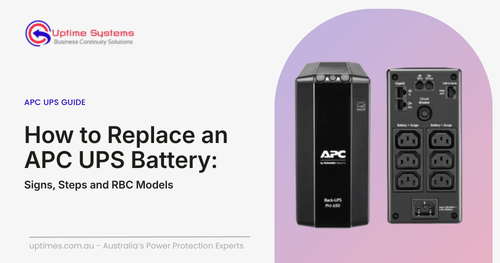
An APC UPS that beeps, flashes red or dies after two minutes is usually asking for one thing: a new battery. APC UPS battery replacement is one of the cheaper fixes in IT, because the battery is a consumable and the electronics around it often outlast it by years. Here’s how to spot the signs, match the right cartridge and swap it without drama.
Signs your APC UPS battery is due
- The “Replace Battery” LED is lit, or the unit keeps beeping
- It fails its self-test or switches to battery unexpectedly
- Runtime has dropped sharply compared with when it was new
- It’s three to five years old (see how long an APC battery backup lasts)
- The case is swollen, hot or leaking. Switch off and call a technician
Not sure it’s the battery? Confirm the battery has failed before you buy anything.
Match the right RBC
APC sells batteries as RBCs, or Replacement Battery Cartridges: cells, wiring and connector in one assembly. The number depends on your UPS model, not on voltage or amp-hours, so never match by eye. A cartridge from one UPS can’t safely be assumed to suit another. Find the model on the barcode sticker at the back or underside, then confirm it in APC’s replacement battery selector.
| UPS model | RBC |
| SUA750RM2U | RBC48 |
| SUA1000RM2U | RBC6 |
| SMT1500C | RBC7 |
| SUA3000RM2U | RBC43 |
These are examples only, so check your own model. Once you have the number, browse an APC replacement battery range. Wiring loose 12V cells yourself risks damaging the charging circuit and voids APC’s cover. Weighing lead-acid against lithium? The UPS Battery Replacement comparison covers it.
How to replace it
Your manual always wins, because procedures vary by model.
| UPS type | Typical approach |
| Smart-UPS (many models) | Hot-swappable, so the UPS stays on, though your equipment has no battery protection while it’s disconnected |
| Back-UPS | Shut down and unplug first, then open the underside battery cover |
- Confirm the RBC number against your model.
- Shut down connected equipment if your model requires it.
- Open only the battery compartment or front bezel, never the main enclosure. It can carry dangerous voltage and cost you your warranty.
- Disconnect the old connector, slide the cartridge out, slide the new one in and reconnect until it seats firmly.
- Let it charge fully, then update the battery install date on the display or in PowerChute.
- Run a self-test to confirm it all works.
Most APC battery replacement jobs take five to fifteen minutes. Never bin the old battery, because lead-acid needs proper recycling.
Prefer a technician? Uptime Systems supplies, fits and recycles APC batteries, from Brisbane, with APC UPS battery replacement Australia-wide. Get a battery quote
Replace the battery or the UPS?
If the chassis is healthy, replace the battery. The electronics typically run eight to twelve years against three to five for the cells, so a new cartridge costs a fraction of a new unit. Replace the whole UPS when it has a hardware fault, can’t carry your load anymore, or batteries are no longer available. Compare that against a quote for a UPS battery replacement service before deciding.
Make the new battery last
- Keep the room around 20 to 25°C, because heat is the biggest killer
- Leave the UPS plugged in so the battery stays on float charge
- Stay under 80% of rated load
- In multi-cartridge units, replace every cartridge together, since mixing old and new leaves the new ones overcharging and the old ones starved
- For critical loads, book a UPS battery service every six months
FAQs
1. My APC UPS is showing the error “Internal RBC disconnected.” What does this mean and what should I do?
On Smart-UPS SRT models, it often means the load is too light for the UPS to detect the battery. APC advises at least 10% load plus 5% per extra battery pack, then a self-test. If the message persists, reseat the battery connector, because the cartridge may have failed.
2. How to replace battery in APC UPS?
Confirm the RBC, power down if your manual says so, open the battery compartment, swap the cartridge, reconnect it, charge it fully and run a self-test. See choosing the right replacement battery in full.
3. My APC UPS has a red light blinking and beeping. What does this mean?
Usually the UPS can’t detect its battery or has judged it failed. Check the connector is seated, run a self-test, and replace the cartridge if the alarm returns. Beep patterns vary by model, so check your manual.
4. How to reset APC after battery replacement?
Let the new cartridge charge for several hours, update the battery install date on the display or in PowerChute, then run a self-test. Where supported, run a runtime calibration too. The alert should clear once the UPS recognises the battery.